Plugins
Plugins connect the platform to what an installation may not have: a Git host, an LMS. Each adds its own pages and settings, and its part in templates, workspaces and what happens in the platform. They are compiled into the release and are all off until an administrator turns them on. What the platform does by itself, such as notifications, the network between workspaces and clusters, is always there.
Turning plugins on and off
The Plugins page, under Platform, lists the plugins of the release, what each requires and the settings sections it adds. Turning one on or off takes settings:write and reaches every replica at once, without a restart. The change is audited as plugin.enable or plugin.disable.
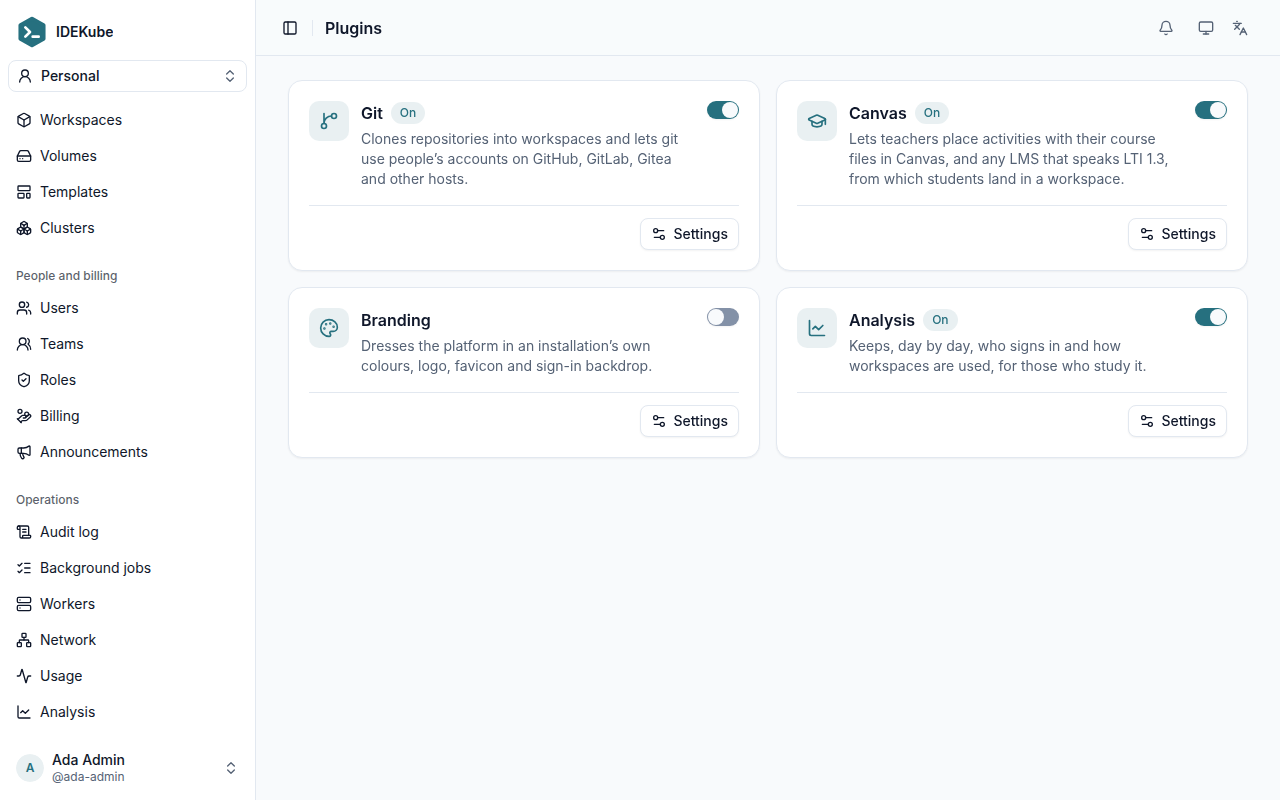
- A plugin that requires others turns on only after them, and they turn off only after it. A plugin turned on runs only while everything it requires is on.
- A plugin may refuse to turn off while it still manages something; the page says why.
- Its settings sections are on the Settings page whether it is on or not, so it can be configured before it is turned on.
Which plugins are on is the plugins settings section, one field per plugin. The chart can turn them on at install time:
settings:
  plugins:
    git: true
The API is GET /v1/plugins and PUT /v1/plugins/{name} with {"enabled": true}.
While a plugin is off
- Its pages are gone from the UI, and its operations answer 404 with the code
plugin_disabled. - Its background jobs do not run, and those that were queued fail.
- It hears of nothing that happens meanwhile.
- Templates keep any fields it reads, and they are ignored; workspaces lose what it added to them at their next reconciliation, without a restart unless the plugin's page says otherwise.
- Its data stays in the database, ready for when it is turned on again.
Each plugin's page describes what turning it off means for what it manages.
The plugins of the release
| Plugin | What it does |
|---|---|
| Git | Clones repositories into workspaces; git uses people's accounts on GitHub, GitLab, Gitea and other hosts. |
| Canvas | Places activities with course files in Canvas and other LTI 1.3 LMSs; courses become teams, students land in workspaces. |
| Analysis | Keeps, day by day, who signs in and how workspaces are used, for those who study it. |
| Branding | Dresses the platform in an installation's own colours, logo, favicon and sign-in backdrop. |