Teams
Workspaces and volumes belong to a team, not to a person. Every account has a personal team that only it belongs to; anyone holding team:create may also create shared teams up to their effective max_owned_teams limit and invite others. The team pays for what it holds and is the unit of quota and credit.
An account's shared-team limit is anchored to its personal team and resolved in order: any active temporary quota override (billing:quota), the personal team's own baseline max_owned_teams override (billing:quota or team:manage), its effective plan (active temporary plan override, assigned plan, or default personal plan), and finally the platform setting teams.max_owned_teams. Holders of team:manage are not limited. Lowering the limit keeps existing teams intact and only prevents creating new ones; accounts can request a higher limit from their personal team's Quota & Plan tab.
The searchable team switcher at the top of the sidebar picks the team the Workspaces and Volumes pages work in. A new workspace or volume goes to that team unless another one is chosen in the form. The Teams page in the sidebar lists the teams you belong to (with a toggle to view all teams for administrators holding team:read or any billing:* permission) and lets you create teams and open pending invitations.
Roles in a team
| Role | May |
|---|---|
viewer | See the team, its members and everything it holds. |
member | Also create workspaces and volumes, and change, open or delete those it created. |
admin | Also act on every resource of the team, and invite, change and remove members up to admin. |
owner | Also appoint and remove owners, and delete the team. |
- A team always keeps at least one owner: the last owner can neither leave nor step down until another owner is appointed.
- Nobody gives a role above their own, or changes a member whose role is above their own.
- Anyone may leave a team, except its last owner.
- A personal team has no other members. It goes when its account is deleted.
The Members tab of a team's page lists its members; its admins invite others, change roles and remove members there.
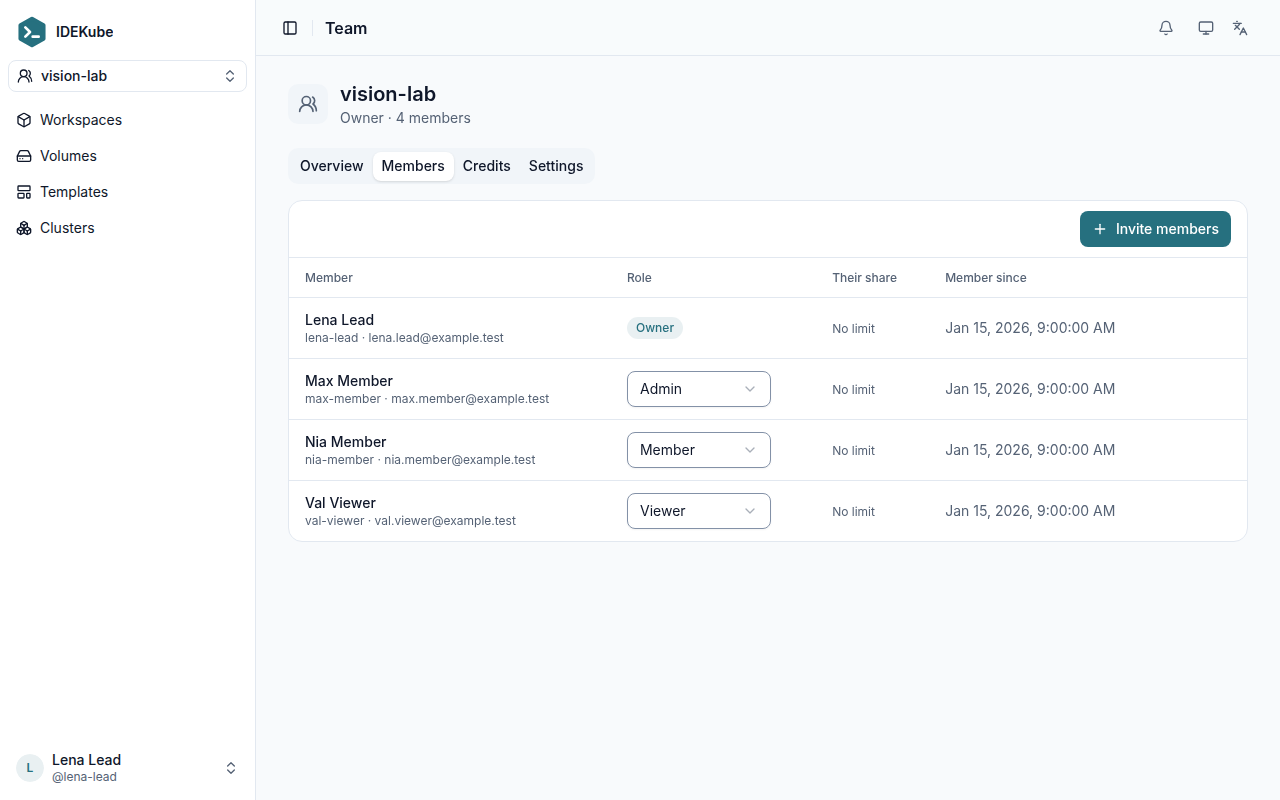
Member quota
A team's admins may say on its Settings tab how much each member may make in it, so that no one member takes all of the team's quota: workspaces, CPU and memory of what runs, storage and GPUs, each optional. On the Members tab they may give one member limits of their own, which take the place of the team's. What a member made is counted against them however it got there, and a workspace an admin starts counts against whoever made it. Admins and owners are not limited, and neither is a personal team. Past their share, what a member asks for is refused with member_quota_exceeded.<dimension>, as the team's own quota refuses with quota_exceeded.<dimension>.
Inviting members
A team's admins invite people from the Members tab. They find an account by the start of its username, its display name or its whole email address (never part of one, so that addresses cannot be guessed), or type an address nobody is found by. An account is told in its notifications, and by email as it chooses; an address is sent a link to join, which works for whoever signs in with it. Nobody joins until they accept on the Invitations page, and an invitation lasts seven days. Admins see the invitations not yet accepted and may withdraw them. Those who hold team:manage may also add an account at once, without asking.
Platform permissions reach across teams: team:manage acts as an owner of every team, workspace:manage and storage:manage act fully on every team's resources, workspace:maintain and storage:maintain perform operational lifecycle actions (start, stop, archive, restore, delete) without accessing workspace contents or cloning/sharing volumes, and the :read permissions show them. Those who hold any cross-team workspace or storage permission (workspace:read, workspace:maintain, workspace:manage, storage:read, storage:maintain, or storage:manage) find All teams in the team switcher, which nobody else sees: the Workspaces, Volumes and Clusters pages then list every team's, with the team of each, as all=true does in the API. What they create still goes to the team they last chose.
Workspace lifecycle policy
On a shared team's Settings tab, team admins can configure how its workspaces are reclaimed:
- Default and Longest idle timeouts (within the platform ceiling).
- Strict interactive idle detection (
strict_idle): ignores background sidecar traffic and counts only direct workspace traffic and active user connections through the gateway. - Disconnect timeout (
disconnect_timeout_s): when strict interactive idle detection is enabled, stops a running workspace after all active user connections have remained closed for that duration. - Maximum runtime (
max_runtime_s): a hard cap on continuous runtime from when a workspace starts, regardless of activity.
Deleting a team
Deleting a shared team deletes every workspace and volume in it. The team disappears at once and its row is removed by the team.collect_deleted job once nothing it held remains.
API
| Endpoint | Purpose |
|---|---|
GET /v1/teams | The caller's teams, personal team first. With all=true and team:read or any billing:* permission, every team. |
POST /v1/teams | Create a shared team; the caller becomes its owner. |
GET, PATCH, DELETE /v1/teams/{team_id} | A team with its usage, baseline quota, active override and credit; rename it; set its baseline quota, max_owned_teams, and credit policy (billing:quota or team:manage); delete it. |
PUT, DELETE /v1/teams/{team_id}/quota-override | Set or revoke a temporary quota override (billing:quota). |
PUT /v1/teams/{team_id}/plan, DELETE /v1/teams/{team_id}/plan-override | Assign a permanent or temporary plan, or revoke an active temporary plan (billing:manage). |
GET, PUT /v1/teams/{team_id}/idle | Read or update the team's workspace idle limits, strict interactive idle mode (strict_idle), disconnect timeout (disconnect_timeout_s), and maximum runtime (max_runtime_s). |
/v1/teams/{team_id}/members | List members with what each made, change and remove them; add one at once (team:manage). PUT …/members/{user_id}/quota gives one member limits of their own. |
GET /v1/teams/{team_id}/candidates?q= | Accounts the team's admins may invite. |
/v1/teams/{team_id}/invitations | List, send (user_id or email, and role) and withdraw invitations. |
/v1/invitations | The caller's invitations; accept or decline one, or accept a link's (POST /v1/invitations/accept with its token). |
GET /v1/teams/{team_id}/ledger | The credit ledger. |
POST /v1/teams/{team_id}/credits | Grant credits (billing:credit). |