Users, roles and permissions
Users
A user has a username (unique, case-insensitive), an optional email and display_name, any number of roles, a status, and a personal team.
- Usernames start with a letter or digit and may contain letters, digits,
.,_,@and-, up to 64 characters. - Passwords have at least 8 characters. An account created without a password can only sign in through an identity provider.
statusisactiveordisabled. A disabled user cannot sign in, existing tokens stop working, and access to workspaces is refused: the gateway turns them away, and the sidecars of the workspaces they created stop accepting their SSH keys and drop their variables and git credentials within seconds.- A new account holds the role
userunless others are given.
Deleting a user deletes its personal team with everything in it, and takes it out of every shared team. A shared team whose last owner goes passes to its most senior remaining member, or is deleted when nobody remains. The account disappears from lists at once and its row is removed when nothing references it any more.
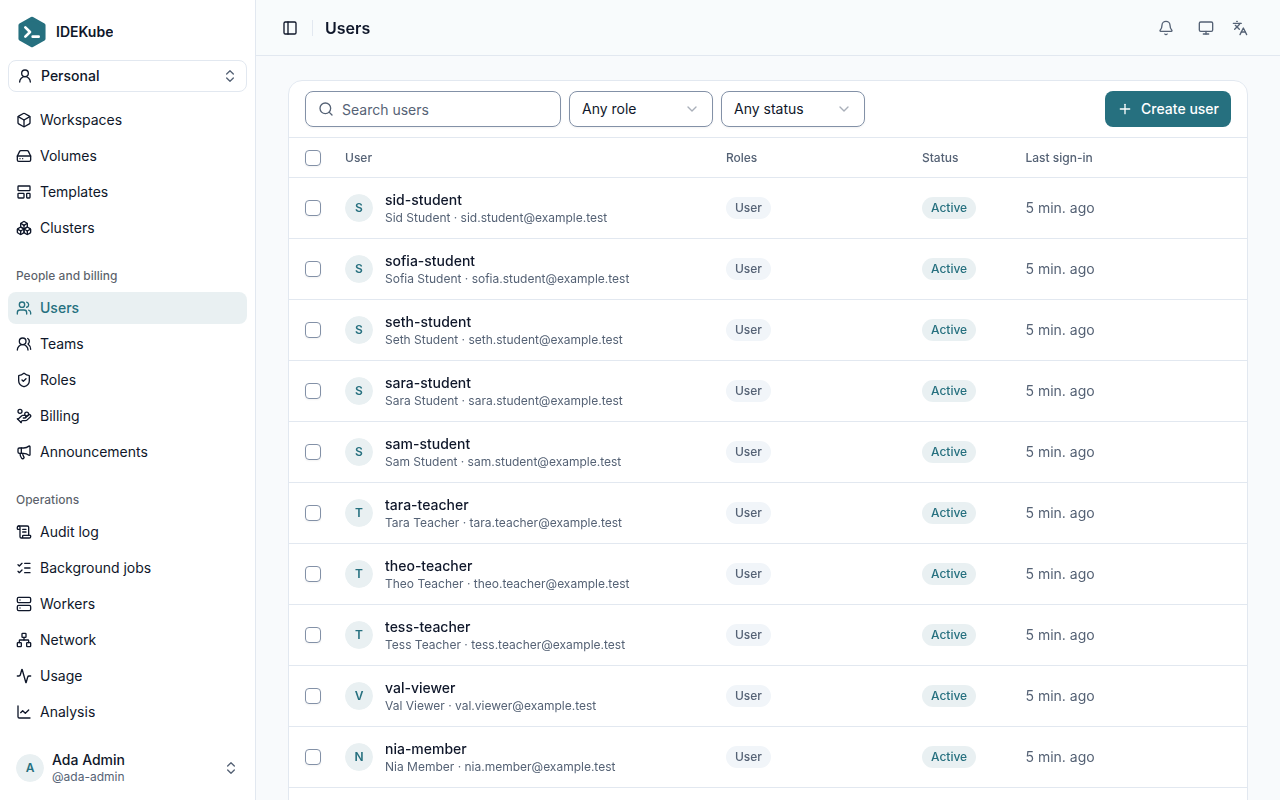
Users are managed on the Users page, under People and billing, or through /v1/users. POST /v1/users/batch enables, disables, deletes, tags or untags up to 500 users in one request and reports the outcome per user.
Those who hold user:write may give an account tags (up to 32, each up to 32 characters, no commas) and a note. Nobody else sees either, the account itself included. The Users page filters by tag, as GET /v1/users?tag=a&tag=b does for accounts with every tag given, and GET /v1/users/tags lists the tags in use with how many accounts have each.
Permissions
Authorization is by permission: routes never check a role. Every module declares the permissions it checks; GET /v1/permissions lists them with a description.
| Permission | Allows |
|---|---|
user:read, user:write | See accounts; create, change, disable and delete them. |
user:impersonate | Act as an account that holds no permission one does not. Only super_admin holds it unless a custom role grants it. |
role:read, role:write | See roles; create, change and delete custom roles. |
team:create | Create shared teams, up to teams.max_owned_teams. |
team:read, team:manage | See every team; act as an owner of every team and set quotas and credit policies. |
billing:read, billing:credit, billing:quota | See every team's spending; grant or take back credits; directly set team quotas, credit policies, owned-team limits and temporary quota overrides. |
billing:manage | Make plans (with recurring scheduled credit grants), assign them permanently or temporarily to teams, and decide what teams ask for. |
workspace:read, workspace:maintain, workspace:manage | See every team's workspaces; start, stop and delete them without opening them or changing their configuration; or create, change, open and delete them. |
storage:read, storage:maintain, storage:manage | See every team's volumes; archive, restore and delete them without cloning, sharing or resizing them; or create, change and delete them. |
template:author | Write templates in one's teams and submit them for review. |
template:review | Approve or reject submitted templates; share templates with everyone. |
template:read, template:manage | See, or change, disable and delete, the templates of every team. |
job:read, job:manage | See background jobs; retry, cancel, run and reschedule them. |
worker:read, worker:manage | See workers; enroll, configure, cordon, resume and remove them. |
notification:send | Make announcements and send test emails. |
audit:read | Read the audit log. |
settings:read, settings:write | Read, or change, the runtime settings. |
Plugins add theirs, named after them, such as canvas:manage.
Working inside one's own teams needs no platform permission; the team role decides.
Roles
A role is a named set of permissions, and an account may hold several. Nine roles are built in; their permissions come from the code that runs, so they follow upgrades and cannot be edited:
| Role | Intended for | Grants |
|---|---|---|
super_admin | The installation's owner. | *, every permission including those of modules added later. |
admin | Running the platform. | Everything except settings:write. |
operator | Keeping things running without entering user workspaces. | workspace:read, workspace:maintain, storage:read, storage:maintain, job:*, worker:read, template:read, team:read, notification:send, settings:read. |
monitor | Read-only oversight. | The :read permissions of users, teams, billing, workspaces, volumes, templates, workers, jobs and settings. |
hr | Managing people. | user:read, user:write, role:read, team:read, notification:send. |
template_reviewer | Reviewing what people write, keeping harmful templates out. | template:review, template:read. |
billing_admin | Billing. | billing:manage, billing:quota, billing:credit, billing:read, team:read. |
auditor | Compliance. | audit:read, user:read, role:read, team:read, billing:read, workspace:read, storage:read, template:read. |
user | Everyone. | template:author, team:create. |
Custom roles bundle any permissions of the catalog. Create them on the Roles page or with POST /v1/roles:
{"name": "lab_assistant", "description": "Helps students", "permissions": ["workspace:read", "user:read"]}
Deleting a custom role takes it from every account that held it.
Rules for managing accounts and roles
- Nobody hands out more than they hold. An actor may assign a role, or write a custom role, only if it holds every permission the role grants, and may change or delete an account only if it holds every permission that account has. An
admintherefore cannot touch asuper_adminor create one. - Nobody can change their own roles or status, or delete themselves.
- Resources the caller may not see are reported as
404, not403.
Acting as an account
To see what someone sees, or to fix what only they can reach, a holder of user:impersonate acts as their account: Act as this account on the Users page, or POST /v1/users/{user_id}/impersonate, which answers with a session's tokens.
- It asks the actor to confirm who they are first, and only for an active account that holds no permission the actor does not hold. An
admingiven the permission still cannot act as asuper_admin. - The session lasts an hour, however often it is refreshed, and ends earlier at a refresh once the actor loses the permission or any of the account's permissions, or is disabled.
- It never does what only the account's person may: confirm who they are, make API tokens or authorize devices, add SSH keys, see or set their own environment variables, change their profile, password or second factors, link identity providers or Git and LMS accounts, or end sessions (
impersonating). - The person is not told, but the impersonation is recorded (
auth.impersonate), and so is everything done during it: as done by the account, with the actor in the record'simpersonator_name, which the audit log shows as actor as account. - The browser keeps the actor's own session aside: Stop acting as them, in the banner shown on every page meanwhile, ends the impersonation and comes back to it.
Signing in with a password when single sign-on is enforced
With auth.password_login turned off, only accounts that hold settings:write can still sign in with a password. This keeps a super_admin able to repair a broken identity provider configuration.